harbor-私有仓库-镜像上传使用
1、配置 hosts 解析
[root@localhost ~]# ip addr |grep 192
    inet 192.168.20.201/24 brd 192.168.20.255 scope global noprefixroute ens33
    inet 192.168.18.174/24 brd 192.168.18.255 scope global noprefixroute dynamic ens34
[root@localhost ~]# vim /etc/hosts
[root@localhost ~]# grep "harbor" /etc/hosts
192.168.20.206	harbor.yq.com
2、信任证书(改 /etc/docker/daemon.json 文件)
注:若上传的地址为可信任,则不用此步骤
[root@localhost ~]# vim /etc/docker/daemon.json
[root@localhost ~]# cat /etc/docker/daemon.json
{
    "registry-mirrors": ["https://kfp63jaj.mirror.aliyuncs.com"],
    "insecure-registries": ["harbor.yq.com"]
}

[root@localhost ~]# docker ps -a
CONTAINER ID        IMAGE               COMMAND             CREATED             STATUS              PORTS               NAMES
[root@localhost ~]# systemctl restart docker
3、登录
[root@localhost ~]# docker login harbor.yq.com
Username: admin
Password:
Login Succeeded
4、上传镜像
[root@localhost ~]# docker tag yangqinlinux/nginx-yq:v1 harbor.yq.com/library/nginx-yq:latest			#修改镜像名方便上传
[root@localhost ~]# docker images
REPOSITORY                       TAG                 IMAGE ID            CREATED             SIZE
yangqinlinux/nginx-yq            v1                  af2881f018fb        43 hours ago        519 MB
harbor.yq.com/library/nginx-yq   latest              af2881f018fb        43 hours ago        519 MB
[root@localhost ~]# docker push harbor.yq.com/library/nginx-yq:latest			#上传
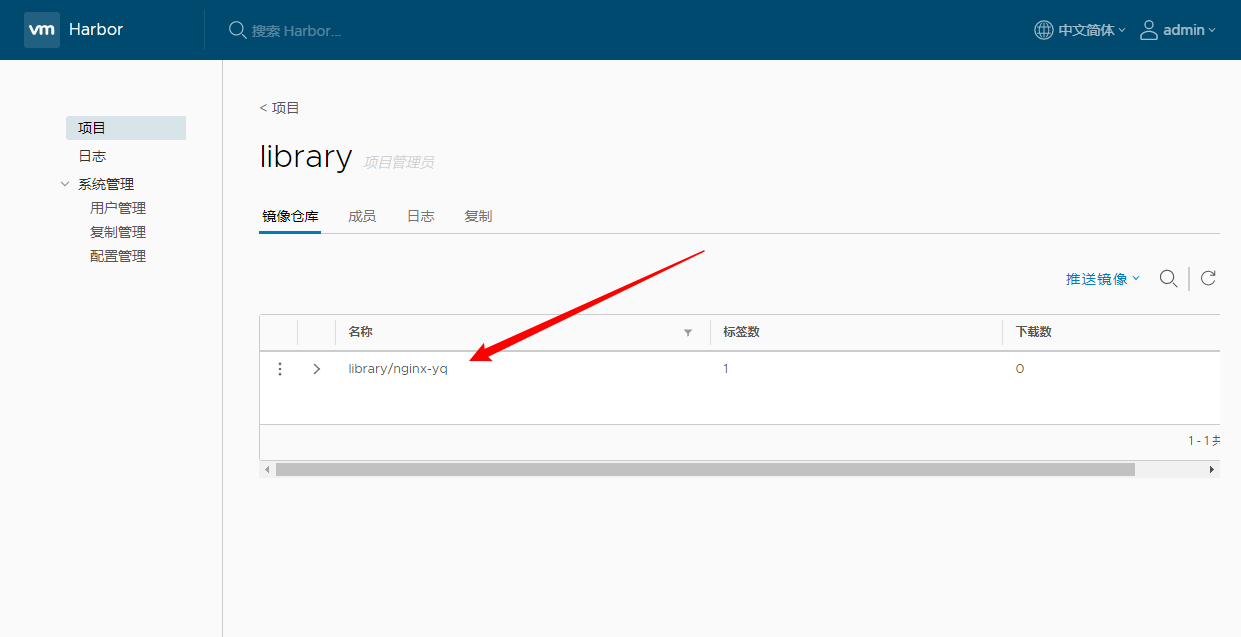
上传成功:
5、公共用户测试下载镜像
1)配置 hosts 解析
[root@localhost ~]# ip addr |grep 192
    inet 192.168.20.202/24 brd 192.168.20.255 scope global noprefixroute ens33
    inet 192.168.18.178/24 brd 192.168.18.255 scope global noprefixroute dynamic ens34

[root@localhost ~]# vim /etc/hosts
[root@localhost ~]# grep "harbor" /etc/hosts
192.168.20.206	harbor.yq.com

[root@localhost ~]# curl harbor.yq.com
<html>
<head><title>301 Moved Permanently</title></head>
<body bgcolor="white">
<center><h1>301 Moved Permanently</h1></center>
<hr><center>nginx/1.11.13</center>
</body>
</html>
2)信任证书(改 /etc/docker/daemon.json 文件
[root@localhost ~]# vim /etc/docker/daemon.json
[root@localhost ~]# cat /etc/docker/daemon.json
{
    "registry-mirrors": ["https://kfp63jaj.mirror.aliyuncs.com"],
    "insecure-registries": ["harbor.yq.com"]
}
[root@localhost ~]# systemctl restart docker
3)直接下载
$ docker images											#检查本地,没有镜像
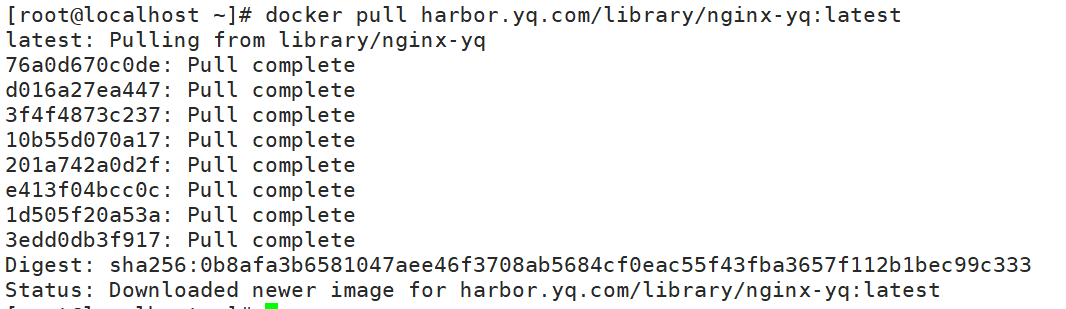
$ docker pull harbor.yq.com/library/nginx-yq:latest		#下载